
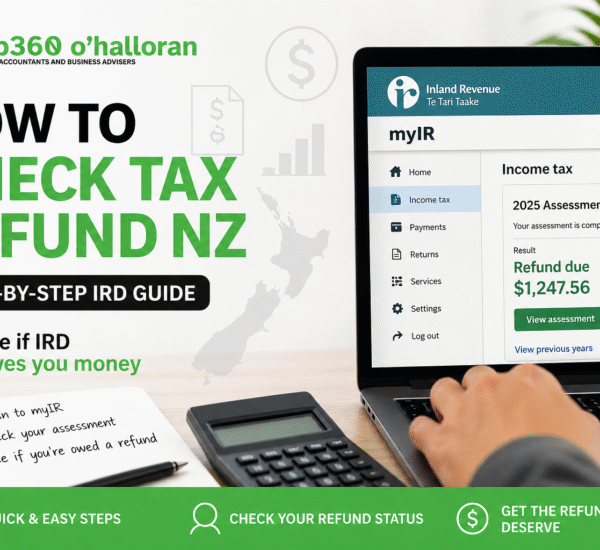

How to check tax refund NZ is one of the most searched questions during tax season, especially if you want to know whether the Inland Revenue Department (IRD) owes you money.
In New Zealand, you can check your tax refund in minutes using your IRD myIR account. This guide explains the exact steps, where to look, and how to make sure you are getting the full refund you deserve.
If you are unsure how to check tax refund NZ, the process starts with accessing your IRD account and reviewing your income tax assessment for the latest update.
If you want to know whether you are getting money back from the Inland Revenue Department, you can check your tax refund in just a few minutes.
This guide explains exactly how to check your refund, what your IRD status means, and how to ensure you are not missing out on money.
—To check your tax refund in New Zealand, log in to your IRD myIR account, go to the Income Tax section, and view your assessment. If you have overpaid tax, your refund will be displayed there.
Understanding how to check tax refund NZ ensures you do not miss any refund owed to you and helps you verify your IRD assessment accurately.
Before checking your IRD account, it helps to estimate your refund.
Use the tax return calculator NZ to understand how much you might be owed based on your income and PAYE.
Knowing how to check tax refund NZ early helps you avoid surprises and gives you time to correct any issues before IRD finalises your tax assessment.
This gives you a benchmark to compare against your IRD result.
—Go to IRD official website and access your myIR account.
If you need help logging in, see our IRD Login Guide NZ.
This step-by-step method explains how to check tax refund NZ using the official IRD portal and how to interpret your refund status correctly.
—Once inside your account, select the Income Tax section and choose the relevant tax year.
—Your assessment shows your final tax position, including whether you are owed a refund or need to pay tax.
—If you are owed money, it will appear as a refund. IRD usually processes payments within a few working days.
—The New Zealand tax year runs from 1 April to 31 March. IRD typically processes refunds between May and July.
Once processed, refunds are usually paid within a few days.
—Your actual refund may differ from expectations due to several factors.
Learn more about this in our Tax Codes NZ guide.
—If no refund appears in your IRD account, it may be because your return has not yet been processed or you may owe tax.
Many people searching how to check tax refund NZ discover differences due to incorrect tax codes or multiple income sources.
Use the tax refund calculator NZ to estimate your position independently.
—Checking your tax refund early helps you avoid surprises and plan your finances effectively.
It also allows you to identify errors and correct them before your return is finalised.
—Log in to your IRD account and view your income tax assessment.
Most refunds are processed between May and July.
You can estimate it using a calculator, but official details require login.
The fastest way to check tax refund NZ is by logging into your myIR account and viewing your income tax assessment.
—Checking your IRD account shows your refund, but it does not guarantee accuracy.
Many taxpayers miss out due to incorrect tax codes or unclaimed credits.
Use the tax return calculator NZ to estimate your refund instantly.
For a complete review, work with DFK Orb360 to ensure you receive the maximum refund.
Check My Tax RefundIf you want to go beyond how to check tax refund NZ and ensure you are getting the full amount, use a tax calculator or consult a professional.
Once you understand how to check tax refund NZ, you can confidently track your refund and ensure you are not missing out on money.
The fastest way to check your tax refund in New Zealand is to log in to IRD. But that only shows what has already been calculated.
The real question is: are you getting the full refund you deserve?
Many taxpayers overpay due to incorrect tax codes, multiple income sources, or missed tax credits. A quick estimate can reveal if you are owed more.
Use our tax return calculator NZ to estimate your refund instantly before IRD processes your return.
Find out what you should be getting today.
Check My Tax Refund Now
You can check if IRD owes you money by logging into your myIR account and viewing your income tax assessment. If you have overpaid tax, your refund will be shown there.
Yes, IRD can automatically process tax refunds if your income information is complete and accurate. Refunds are usually issued after your tax assessment is finalised.
If you overpay tax in New Zealand, IRD will calculate the difference and refund the excess amount to your nominated bank account.
In most cases, you do not need to apply. IRD automatically assesses your tax and issues refunds if applicable.
Your refund may be delayed due to incomplete income details, verification checks, or pending tax obligations with IRD.

Copyright © 2025 Marketing Transformers | All Rights Reserved.


 09 377 4238
 Level 2, 6 Kingdon Street, Newmarket, Auckland
 help@orb360.co.nz