

Tax & Accounting | New Zealand Business
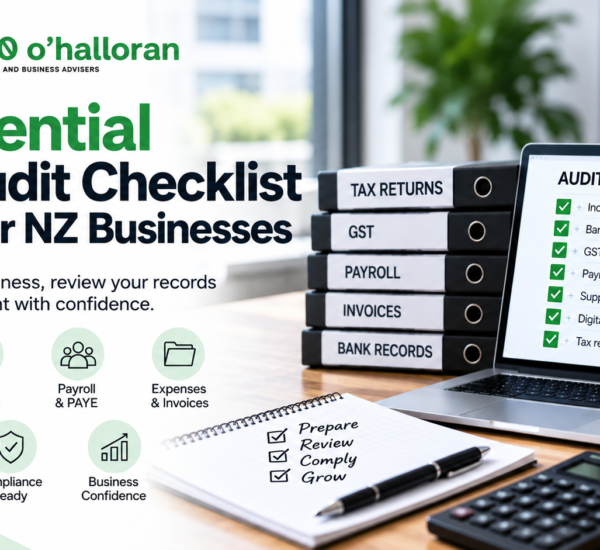
7 Essential IRD Audit Checklist Steps for NZ Businesses
Preparing for an IRD audit starts with having accurate, complete and accessible business records. Use this 7-step IRD audit checklist to review your financial records, GST, payroll, expenses, digital accounting data and supporting documents before an audit.
Quick Answer: How Do I Prepare for an IRD Audit?
To prepare for an IRD audit, review your financial and tax records, reconcile your accounts, check GST and payroll information, organise invoices and supporting documents, preserve historical digital records, and make sure your tax returns can be supported by your accounting data.
Inland Revenue says businesses must keep relevant records for at least 7 tax years, including electronic records. Records need to contain the necessary information and be retrievable and readable when required.
A good preparation process is therefore not about creating records at the last minute. It is about making sure your business maintains an organised audit trail throughout the year.
What Is an IRD Audit Checklist?
An IRD audit checklist is a practical list of records, accounts and compliance areas that a New Zealand business can review before an Inland Revenue audit.
An IRD audit is a check of tax and business records to determine whether the correct amount of tax has been paid. Audits can cover areas including income tax, GST and employer returns.
Having an organised checklist can help business owners identify missing information before IRD requests it.
This is particularly important for businesses that use accounting software, because an audit can involve electronic accounting and transaction-level information as well as traditional source documents.
If you want to understand how digital records can be examined during an audit, read our guide to IRD computer audits and digital accounting records .
7 Essential IRD Audit Checklist Steps
Before an audit, work through the following seven areas. The exact information IRD requires will depend on the circumstances and scope of the audit.
1. Check Your Business Income Records
Start by checking that your business has properly recorded its income.
This can include cash and electronic sales, invoices, payments received, credit card transactions and other business income.
Inland Revenue states that businesses must keep records of cash and electronic sales and purchases for 7 years.
As part of your IRD audit checklist, check whether:
- All business sales have been recorded.
- Cash sales have been included.
- Electronic sales are properly recorded.
- Invoices and receipts are available.
- Sales records reconcile with your accounting system.
- Bank deposits can be explained.
For more information, see the official IRD guidance on income and expense records .
2. Reconcile Your Bank and Accounting Records
Your accounting records should provide a clear explanation of the money moving through your business.
Review your business bank accounts, credit cards and accounting records to identify unreconciled or unexplained transactions.
Your review should include:
- Business bank accounts
- Credit card accounts
- Cash accounts
- Bank deposits
- Business withdrawals
- Personal funds introduced into the business
- Personal drawings where applicable
IRD states that businesses need to keep relevant banking records and clearly identify money taken from or introduced into business accounts.
Read the official IRD bank records guidance for more information.
3. Review Your GST Records
If your business is GST registered, GST records should be one of the key areas in your pre-audit review.
Check that your GST returns can be supported by the underlying accounting records and taxable supply information.
Review:
- GST returns
- Taxable supply information
- Supply correction information
- GST collected
- GST claimed on purchases
- GST account reconciliations
- Supporting invoices and records
Your GST return should be supported by records that allow the figures to be explained if requested.
If your business needs help reviewing its tax records, visit DFK Orb360 Chartered Accountants .
4. Check Payroll, PAYE and Employer Records
If your business employs staff, include payroll and employer obligations in your pre-audit review.
Check that you can access:
- Payroll records
- Employee wage information
- PAYE records
- KiwiSaver information where applicable
- Student loan deductions where applicable
- Other relevant employee deductions
- Employment agreements and supporting records
Inland Revenue’s current business guidance identifies employee and PAYE information as part of the records businesses need to maintain.
As part of your IRD audit checklist, compare payroll records with the amounts reported through your employer returns.
5. Organise Expenses and Supporting Documents
Business expenses should be supported by appropriate documentation.
Before an audit, review whether significant expenses can be traced back to invoices, receipts, bank transactions or other relevant source documents.
Depending on your business, this can include:
- Supplier invoices
- Receipts
- Credit card records
- Travel records
- Motor vehicle records
- Entertainment expense records
- Home-office records where applicable
- Asset purchase documentation
- Business contracts
- Lease agreements
Inland Revenue’s record-keeping guidance lists invoices, receipts, bank statements, credit card records and other source documents among the records businesses may need to retain.
You can review the official IRD record-keeping requirements for the current requirements.
6. Check Your Digital and Historical Accounting Records
Modern businesses often rely on cloud accounting and other electronic systems. Your IRD audit checklist should therefore include your digital records.
Check that:
- Historical accounting data can still be accessed.
- Your backups are working.
- Electronic records can be retrieved and read.
- Previous accounting systems have been properly documented.
- Relevant general ledger information is available.
- Account codes and system documentation can be explained.
- Records remain available after software changes.
Inland Revenue states that computer-based records must contain the necessary information, be kept for at least 7 years, and be retrievable and readable.
IRD also provides specific guidance about computer-assisted audits and electronic accounting records.
Read our detailed article: How IRD Reviews Digital Accounting Records During a Computer Audit .
7. Compare Your Tax Returns With Your Accounting Records
Finally, check that the information submitted to Inland Revenue can be reconciled with your accounting records.
Depending on your business, review relevant:
- Income tax returns
- GST returns
- PAYE and employer returns
- Financial statements
- General ledger reports
- Tax calculations
- Supporting workpapers
The goal is to have a clear trail from the original transaction through your accounting system to the figures reported to IRD.
Source documents → Accounting records → General ledger → Financial statements → Tax returns
What Documents Should You Have Ready for an IRD Audit?
The documents required will depend on the scope of the audit and the tax obligations being reviewed.
However, businesses should generally be able to access relevant records supporting their income, expenses, assets, liabilities and tax returns.
Common business records include:
- Invoices and receipts
- Bank statements
- Credit card records
- Cashbooks
- General ledgers
- Journals
- GST records
- Payroll records
- Tax calculations
- Financial statements
- Asset registers
- Depreciation calculations
- Business contracts
- Lease agreements
- Relevant digital accounting records
Inland Revenue’s Record keeping checklist provides a detailed list of records that different types of businesses may need to retain.
What Should You Do If IRD Contacts Your Business About an Audit?
If Inland Revenue contacts your business about an audit, start by carefully reviewing the information request and identifying the records relevant to the scope of the audit.
IRD states that businesses selected for an audit will be given reasonable notice and that additional information may be requested during the audit.
You should:
- Read the audit communication carefully.
- Identify the tax periods and areas being reviewed.
- Gather the requested records.
- Check that your accounting records are complete.
- Identify any missing or inaccessible historical records.
- Consider speaking with your accountant or tax adviser.
- Respond to IRD within the relevant timeframe.
You can read Inland Revenue’s official audit guidance for information about the audit process.
Common Record-Keeping Problems to Check Before an IRD Audit
A pre-audit review can help identify gaps before they become more difficult to resolve.
Missing supporting documents
A transaction may appear in your accounting system but lack an invoice, receipt or other supporting documentation.
Unreconciled bank accounts
Unreconciled accounts can make it harder to explain the relationship between bank activity and your accounting records.
Old accounting software data
Historical records may become difficult to access after changing accounting systems.
Inconsistent tax and accounting figures
Differences between accounting reports and tax returns should be understood and documented.
Incomplete digital backups
Businesses should not assume that cloud storage automatically solves every record-keeping problem. Historical data still needs to be accessible and readable.
IRD Audit Checklist: 7 Questions to Ask Your Business
Before an audit, ask:
- ☐ Have we recorded all business income?
- ☐ Are our bank and accounting records reconciled?
- ☐ Are our GST records complete and supported?
- ☐ Are payroll and PAYE records available?
- ☐ Can we support significant business expenses?
- ☐ Can we access our historical digital accounting records?
- ☐ Can we trace our tax return figures back to the underlying records?
If you cannot answer “yes” to several of these questions, consider reviewing your record-keeping processes before an audit request occurs.
People Also Ask About IRD Audits
What should I prepare for an IRD audit?
Prepare the accounting and tax records relevant to the audit, including income and expense records, bank information, GST records, payroll information, supporting documents and relevant electronic accounting data.
What records does IRD check during an audit?
The records checked depend on the scope of the audit. They can include financial records, income and expense information, bank records, GST records, employer records, invoices, receipts and electronic accounting data.
How many years of records does a business need to keep in New Zealand?
Businesses generally need to retain relevant tax and business records for at least seven tax years. Electronic records also need to remain retrievable and readable.
Does IRD give notice before an audit?
Inland Revenue states that businesses will be given reasonable notice if an audit is to be undertaken. Additional information may also be requested during the audit.
Can IRD check my accounting software?
Depending on the audit, Inland Revenue may request or examine electronic accounting and transaction-level information. The information and format required will depend on the circumstances and scope of the audit.
What happens if I cannot find an old business record?
Businesses should act promptly to determine whether the information can be recovered or reconstructed. Check accounting software backups, bank records, accountants, bookkeepers and other available sources.
How can I make my business audit-ready?
Keep accurate records throughout the year, reconcile accounts regularly, retain supporting documents, maintain accessible digital records and make sure your tax returns can be supported by your accounting information.
Should I speak to an accountant if IRD audits my business?
A business can choose to involve an accountant or tax adviser when dealing with an IRD audit. A professional can help review records, understand the information requested and assist with the accounting and tax aspects of the process.
Frequently Asked Questions About IRD Audit Checklists
What is an IRD audit checklist?
An IRD audit checklist is a practical list of records and compliance areas a business can review before an Inland Revenue audit. It can include financial records, GST, payroll, expenses, digital accounting data and supporting documentation.
How do I prepare for an IRD audit?
Review the scope of the audit, gather relevant records, reconcile your accounts, check GST and payroll information, organise supporting documents and make sure historical accounting records can be retrieved.
What documents should I have ready for an IRD audit?
Depending on the audit, you may need financial records, invoices, receipts, bank statements, GST information, payroll records, general ledgers, accounting reports, tax calculations and other supporting documents.
How long must NZ businesses keep tax records?
Businesses generally need to keep relevant tax and business records for at least seven tax years. This includes electronic records.
Can IRD review electronic accounting records?
Yes. Inland Revenue provides specific guidance for computer-based records and computer-assisted audits. Electronic accounting and transaction-level records may be relevant depending on the audit.
What happens after an IRD audit?
The outcome depends on what the audit finds. Inland Revenue states that after an audit a business may be entitled to a refund or may have additional tax to pay.
Read the official IRD audit guidance for more information.
About This Article
Written by: DFK Orb360 O’Halloran Content Team
Reviewed by: DFK Orb360 O’Halloran Chartered Accounting Team
Published: 21 September 2026
Last reviewed: 21 September 2026
Expertise: New Zealand accounting, taxation, property investment and business advisory
This article provides general information about preparing New Zealand businesses for an Inland Revenue audit. It is based on publicly available Inland Revenue guidance and should be considered alongside the latest IRD requirements and the specific circumstances of your business.
Is Your Business Ready for an IRD Audit?
Having your accounting records in order before an audit can make it easier to respond to information requests and explain your tax position.
DFK Orb360 can help New Zealand businesses review their accounting, tax records and compliance processes.
If you have received an IRD audit request or want to review your business records before an issue arises, complete the form below to speak with the DFK Orb360 team.
Speak to DFK Orb360 About Your IRD Compliance
Official IRD Resources
For current requirements and official guidance, refer to Inland Revenue’s resources:
Important: This article provides general information and is not a substitute for professional tax or accounting advice. Audit requirements can vary depending on the circumstances of your business. Check the latest Inland Revenue guidance or speak with a qualified New Zealand tax professional for advice relating to your situation.
Key Takeaway
An IRD audit checklist is useful because it helps you review your records before you need to provide them.
Start with the seven essentials: income, bank records, GST, payroll, expenses, digital records and tax return reconciliations.
Keeping these records organised throughout the year can make it easier to explain your business’s tax position and respond to an Inland Revenue information request.
For the broader compliance picture, read the DFK Orb360 guide to IRD Business Compliance Audits .



 09 377 4238
 Level 2, 6 Kingdon Street, Newmarket, Auckland
 help@orb360.co.nz