

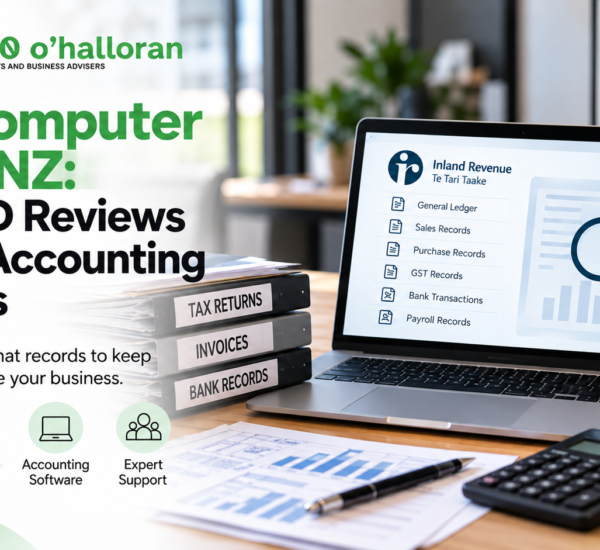
Tax & Accounting | New Zealand Business
How IRD Reviews Digital Accounting Records During a Computer Audit
An IRD computer audit can involve more than reviewing your financial statements. Inland Revenue may examine electronic accounting and transaction-level data to understand how your business records are created, processed and reported. Learn what digital records NZ businesses need to retain, how computer-assisted audits work and how to prepare your accounting systems for an IRD audit.
Quick Answer: What Is an IRD Computer Audit?
An IRD computer audit is an audit in which Inland Revenue uses computer-assisted techniques to examine electronic accounting and business records. Depending on the audit, IRD may analyse general ledger information, transaction-level data, accounting system processes and other electronic records.
New Zealand businesses generally need to keep relevant tax and business records for at least 7 years, including electronic records. Those records must be retrievable and readable when required.
Businesses should therefore make sure their accounting data, supporting documents, backups and historical records can be accessed and understood if IRD requests them.
Most New Zealand businesses now rely on digital accounting systems to manage sales, purchases, GST, payroll, expenses and financial reporting.
Cloud accounting and electronic records can make financial administration easier, but they also create an important compliance responsibility: your business needs to be able to retrieve and explain its accounting data when required.
If Inland Revenue audits your business, the review may involve more than looking at a printed profit and loss statement or balance sheet.
Depending on the scope of the audit, IRD can use computer-assisted auditing techniques to examine electronic accounting and transaction-level information.
This guide explains how an IRD computer audit works, what digital records businesses should retain, what can happen when accounting software changes and how to prepare your business for an electronic records review.
If you are looking for broader information about IRD audits, read our IRD Business Compliance Audits guide .
What Is an IRD Computer Audit?
An IRD computer audit is an audit where Inland Revenue uses electronic information and computer-assisted techniques to examine a business’s accounting and tax records.
Rather than relying exclusively on printed reports, IRD may work with electronic accounting information and transaction-level data.
Inland Revenue’s current audit guidance describes computer-assisted auditing techniques including:
- General ledger and data downloads
- System risk reviews
- Financial transaction analysis
A computer-assisted audit does not, by itself, mean that a business has done something wrong. It is a method IRD can use to examine accounting systems and records during an audit.
You can read the official Inland Revenue audit guidance for more information about the audit process.
How Does IRD Review Digital Accounting Records?
The exact process depends on the circumstances and scope of the audit. However, computer-assisted auditing can involve several stages.
1. IRD identifies the accounting systems and records
The first step may involve understanding how your business records and processes financial information.
For example, IRD may need to understand:
- Which accounting software your business uses
- How transactions are entered into the system
- Where accounting data is stored
- How financial reports are generated
- How GST information is calculated
- How transactions flow into the general ledger
- Whether your accounting system has changed
- Whether historical data remains available
Understanding the accounting system can help an auditor determine how the figures reported in tax returns are generated.
2. Electronic accounting data may be provided
Depending on the audit, IRD may request electronic accounting information rather than requiring large volumes of printed reports.
The exact format and method of providing information can depend on the accounting system and the requirements of the audit.
This is why businesses should know how to retrieve historical accounting information from their software.
3. IRD may analyse transaction-level data
A financial statement provides a summary of your business’s financial activity. Electronic accounting data can provide much more detail.
Depending on the audit, transaction information may be analysed to understand patterns and relationships within the accounting records.
This can include examining:
- Sales transactions
- Purchase transactions
- GST-related transactions
- Expense classifications
- General ledger entries
- Journal entries
- Bank-related information
- Other relevant accounting information
4. IRD may review the accounting system itself
A computer-assisted audit can also involve understanding the controls and processes within an accounting system.
For example, the review may consider how information moves from transaction entry through to the financial accounts and ultimately into tax reporting.
This makes good accounting controls and documentation particularly important for businesses using complex or highly automated accounting systems.
5. IRD may compare information from different records
Accounting information should form a consistent trail from the original transaction through to the figures reported to IRD.
A simplified audit trail looks like this:
Source documents → Accounting transactions → General ledger → Financial reports → Tax returns
If your accounting records are properly maintained, you should be able to explain how reported figures were calculated and supported.
What Digital Records Can IRD Review?
The records requested will depend on the circumstances and scope of the audit. However, businesses should maintain the electronic accounting and supporting records needed to establish their tax position.
These can include:
- General ledger records
- Journals
- Subsidiary account records
- Sales records
- Purchase records
- Invoices
- Receipts
- Bank records
- Credit card records
- GST records
- Payroll and PAYE records
- Point-of-sale records
- Cashbook information
- Charts and codes of accounts
- Relevant accounting system documentation
- Historical system information where systems have changed
Inland Revenue’s computer record-keeping guidance specifically identifies electronic accounting or transaction-level records, charts and codes of accounts, accounting instructions, system documentation and record layouts as relevant records for computer-assisted audits.
How Long Do You Need to Keep Digital Accounting Records?
In New Zealand, businesses generally need to keep relevant tax and business records for at least 7 years.
This applies to electronic records as well as paper records.
Inland Revenue also states that computer-based records must be retrievable and readable.
This means keeping a backup is not necessarily enough. You should consider whether you can actually access and understand the information years after it was created.
For example, ask:
- Can we still access our historical accounting data?
- Can we open our old files?
- Can we understand our historical account codes?
- Can we retrieve transactions from an old accounting platform?
- Can we explain how historical reports were generated?
You can review the official IRD record-keeping requirements for additional information.
What Happens If You Change Accounting Software?
Changing accounting software can create a record-keeping challenge if historical information is not preserved correctly.
For example, suppose your business used one accounting platform from 2019 until 2025 and moved to another platform in 2026.
You should consider whether the historical records from the previous system can still be retrieved and read.
Before changing accounting systems, consider:
- Exporting historical accounting data
- Maintaining appropriate backups
- Retaining relevant system documentation
- Keeping account codes and system information
- Preserving transaction-level records
- Testing whether historical data can be opened
- Documenting major system changes
Inland Revenue specifically advises businesses to check whether a new computerised accounting system can retrieve and read data from an old system.
Read the official IRD guidance on computer record keeping and system upgrades .
Can Cloud Accounting Records Be Used for an IRD Audit?
Yes. Cloud-based accounting systems are commonly used by New Zealand businesses, but using cloud software does not remove your record-keeping obligations.
You remain responsible for ensuring that the records relevant to your tax obligations are properly retained and can be accessed when required.
If your records are stored offshore, including through cloud computing, Inland Revenue states that you should ensure the storage arrangement has the required approval or is otherwise covered by the applicable rules.
You can read IRD’s current record-keeping guidance for information about electronic and cloud-based records.
How Should You Prepare for an IRD Computer Audit?
If your business is selected for an audit, having organised digital records can make it easier to respond to information requests.
1. Check that your accounting data is complete
Confirm that your accounting records contain the transactions and information required to support your tax returns.
2. Reconcile your accounts
Regularly reconcile your bank accounts, GST accounts, credit cards and other relevant accounts.
If your business has employees, make sure your payroll and PAYE records are also properly maintained.
3. Keep supporting documents
Accounting entries should be supported by relevant documentation such as invoices, receipts, bank records and other appropriate source documents.
For more information, see our DFK Orb360 accounting and tax advisory services .
4. Preserve historical data
If you have changed accounting software, make sure your previous records can still be retrieved and understood.
5. Document your accounting system
Keep relevant information about your accounting processes, account codes and system structure.
6. Compare accounting records with tax returns
Your accounting records should provide a reasonable trail to the figures included in your GST, income tax and employer returns.
7. Review your record-keeping process regularly
Do not wait until an audit begins to discover that historical records are inaccessible.
Regular reconciliation, backups and record reviews can help identify potential gaps earlier.
What If Your Digital Accounting Records Are Lost?
Digital records can be lost because of hardware failure, accidental deletion, software migration, cyber incidents, poor backup procedures or loss of access to an accounting platform.
If business records are lost, destroyed or damaged, act promptly to determine what information can be recovered or reconstructed.
Potential sources may include:
- Accounting software backups
- Cloud storage
- Bank records
- Accountants or bookkeepers
- Invoices and supplier records
- Customer records
- Payroll systems
For more information, visit IRD’s record-keeping guidance .
Why Is a Digital Audit Trail Important?
One of the most useful ways to think about digital accounting compliance is the concept of an audit trail.
Your business should ideally be able to trace a figure reported in a tax return back through your accounting system to the underlying transaction and supporting documentation.
Tax return
↓
Financial statements
↓
General ledger
↓
Individual transactions
↓
Invoices, receipts and bank records
A clear audit trail can make it easier to explain how financial information was generated and how tax calculations were supported.
IRD Computer Audit Checklist for NZ Businesses
Use this checklist to identify potential gaps in your digital record-keeping process.
- ☐ Can we access our historical accounting data?
- ☐ Can we retrieve records from previous accounting software?
- ☐ Are our bank accounts reconciled?
- ☐ Are our GST records complete?
- ☐ Are our invoices and receipts available?
- ☐ Can we explain major business expenses?
- ☐ Are our payroll and PAYE records available?
- ☐ Can accounting entries be traced back to supporting documents?
- ☐ Have we retained relevant records for the required period?
- ☐ Are our backups working?
- ☐ Can our historical data still be read if we change software?
- ☐ Do we retain relevant information about our accounting system?
If you identify gaps in your records, consider addressing them before an audit or information request occurs.
Frequently Asked Questions About IRD Computer Audits
What is an IRD computer audit?
An IRD computer audit is an audit that uses electronic data and computer-assisted techniques to examine a business’s accounting and tax records. Depending on the audit, IRD may analyse general ledger data, transaction-level information and accounting system processes.
Does an IRD computer audit mean I have done something wrong?
No. A computer-assisted audit is a method of examining electronic records. Being subject to an audit does not by itself establish that a business has made an error or breached its tax obligations.
What records does IRD check during a computer audit?
Depending on the audit, IRD may examine electronic accounting and transaction-level records such as general ledgers, journals, subsidiary accounts, invoices, bank records and other relevant business information.
How long do I need to keep digital accounting records in New Zealand?
Businesses generally need to retain relevant tax and business records for at least 7 years. This includes electronic records.
Can IRD audit my Xero or other accounting software?
Accounting software can contain records relevant to an IRD audit. The specific information requested depends on the circumstances and scope of the audit.
What happens if I change accounting software?
You should ensure that historical records from your previous accounting system remain accessible and readable. Appropriate exports, backups and system documentation can help preserve historical accounting information.
Does cloud accounting remove my record-keeping responsibilities?
No. Using cloud-based accounting software does not remove a business’s responsibility to maintain appropriate business and tax records.
Can IRD use computer-assisted auditing techniques?
Yes. Inland Revenue’s audit guidance describes computer-assisted techniques including general ledger and data downloads, system risk reviews and financial transaction analysis.
What if I cannot find my old accounting records?
Act promptly. Check your accounting software provider, backups, accountant, bookkeeper and other available sources. If records have been lost or damaged, consider your tax filing and record-keeping obligations and seek professional advice where appropriate.
How can I prepare my business for an IRD computer audit?
Start by checking that your accounting records are complete, reconciled, backed up and retrievable. Make sure supporting documents are available and that historical accounting data can still be accessed.
About This Article
Written by: DFK Orb360 O’Halloran Content Team
Reviewed by: DFK Orb360 O’Halloran Chartered Accounting Team
Published: 21 September 2026
Last reviewed: 21 September 2026
Expertise: New Zealand accounting, taxation, property investment and business advisory
This article has been prepared for New Zealand businesses seeking general information about IRD computer-assisted audits and digital accounting records. It should be read alongside current Inland Revenue guidance and considered in the context of your individual business circumstances.
Need Help Preparing for an IRD Audit?
An IRD audit can involve more than simply providing your latest financial statements.
Your accounting records should provide a clear trail from transactions and supporting documents through to your financial statements and tax returns.
DFK Orb360 can help New Zealand businesses review their accounting and tax records, improve record-keeping processes and prepare for IRD compliance requirements.
If you have received an IRD audit request, are concerned about your digital accounting records, or want to review your business’s compliance processes, complete the form below to speak with the DFK Orb360 team.
Speak to DFK Orb360 About Your IRD Compliance
Official IRD Resources
For the most up-to-date information, businesses should refer to Inland Revenue’s official guidance.
Important: This article provides general information and is not a substitute for professional tax or accounting advice. IRD requirements can vary depending on the circumstances of a business. Always check the latest Inland Revenue guidance or speak with a qualified New Zealand tax professional for advice relating to your situation.
Key Takeaway
Digital accounting does not automatically mean that your business is audit-ready.
For an IRD computer audit, businesses should be able to demonstrate that their accounting records are complete, accurate, retrievable and supported by appropriate documentation.
Maintaining a clear digital audit trail throughout the year is generally easier than trying to reconstruct years of accounting information after an audit has started.
If you want to understand the broader IRD compliance process, read the DFK Orb360 guide to IRD business compliance audits .